01
The workflow you know
Command line with clickable keywords, AutoComplete and aliases; object snaps, polar tracking, ortho, direct distance entry, grips, window and crossing selection — decades of drafting habit, respected.
01 / CADCraft CAD & drafting · Early development
01 CADCraft
Type L, click two points, type @5<45, press Enter. The command line, object snaps, layers, dimensions, hatches and blocks — a free, open-source AutoCAD alternative written entirely in Rust and compiled to WebAssembly. It opens and writes DXF, opens and saves DWG, plots to PDF, needs no account, never uploads your drawings, and works offline. Open the CADCraft editor — free and open source.
Runs in your browser — free and open source
02 / Características
01
Command line with clickable keywords, AutoComplete and aliases; object snaps, polar tracking, ortho, direct distance entry, grips, window and crossing selection — decades of drafting habit, respected.
02
LINE, PLINE, CIRCLE, ARC, RECTANG, POLYGON, ELLIPSE, SPLINE, TEXT, MTEXT — then MOVE, COPY, ROTATE, MIRROR, OFFSET, TRIM, EXTEND, FILLET, CHAMFER and arrays, non-destructively where it matters.
03
All DIM* commands with full DIMSTYLE variables and every arrowhead, associative dimensions that follow geometry, MLEADER, TABLE, TrueType fonts and MTEXT formatting codes.
04
DXF read and written natively (ASCII and binary, R12–2018); DWG R13–2018 opens and saves through the open acadrust library; PDF plotting plus SVG and PNG export.
05
Every menu item, tool and prompt is a command: agents can type at the command line exactly like a person, call commands with JSON, inspect the drawing and render it — over MCP or the JSON control channel.
06
Geometric and dimensional constraints with expressions and conflict detection; constraints re-solve after every edit, so a bracket stays a bracket when you drag it.
03 / Made for
01
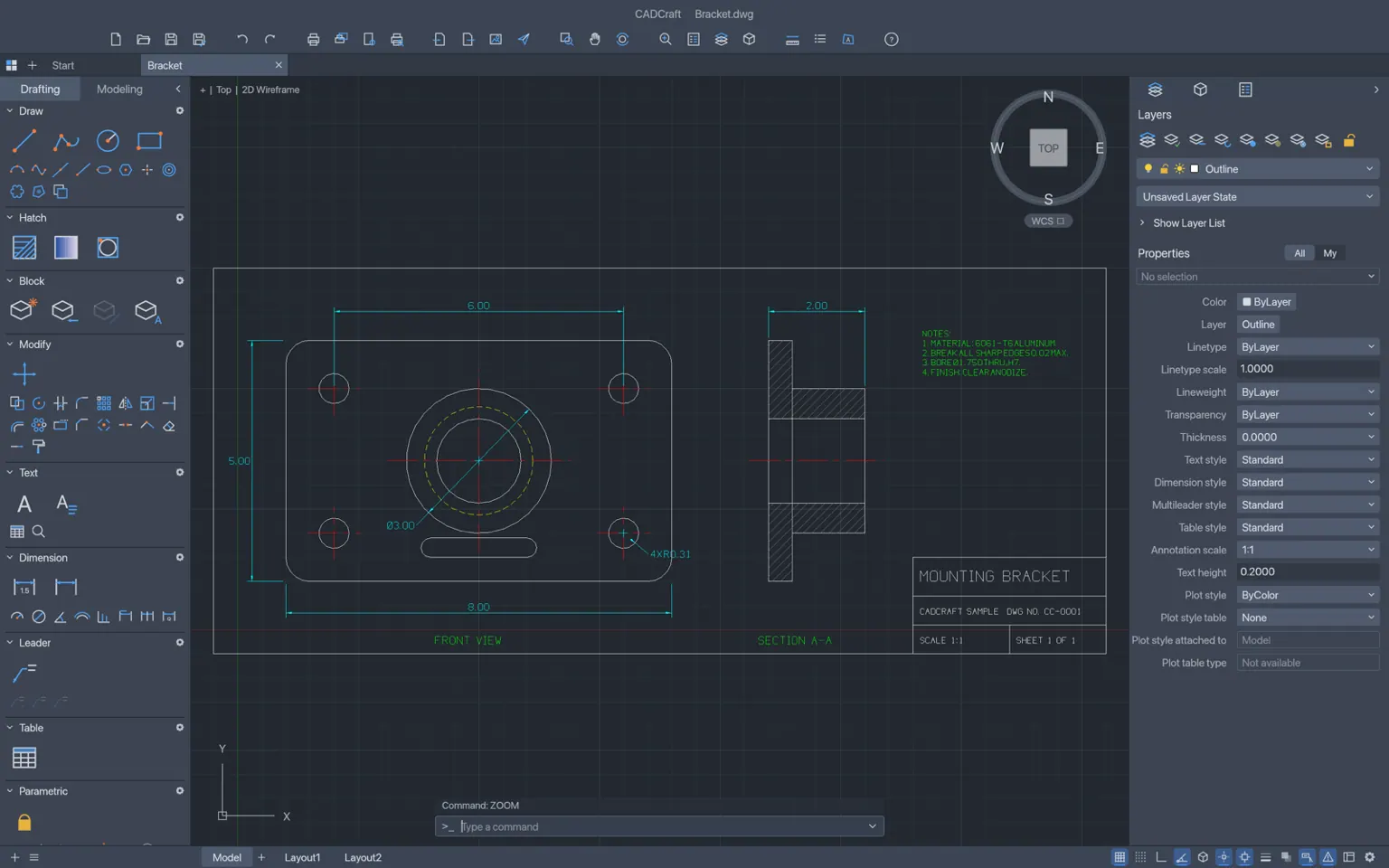
Two views with centre lines, hidden lines, an ANSI31 section hatch, dimensions and a title block — plotted to PDF straight from the tab.
02
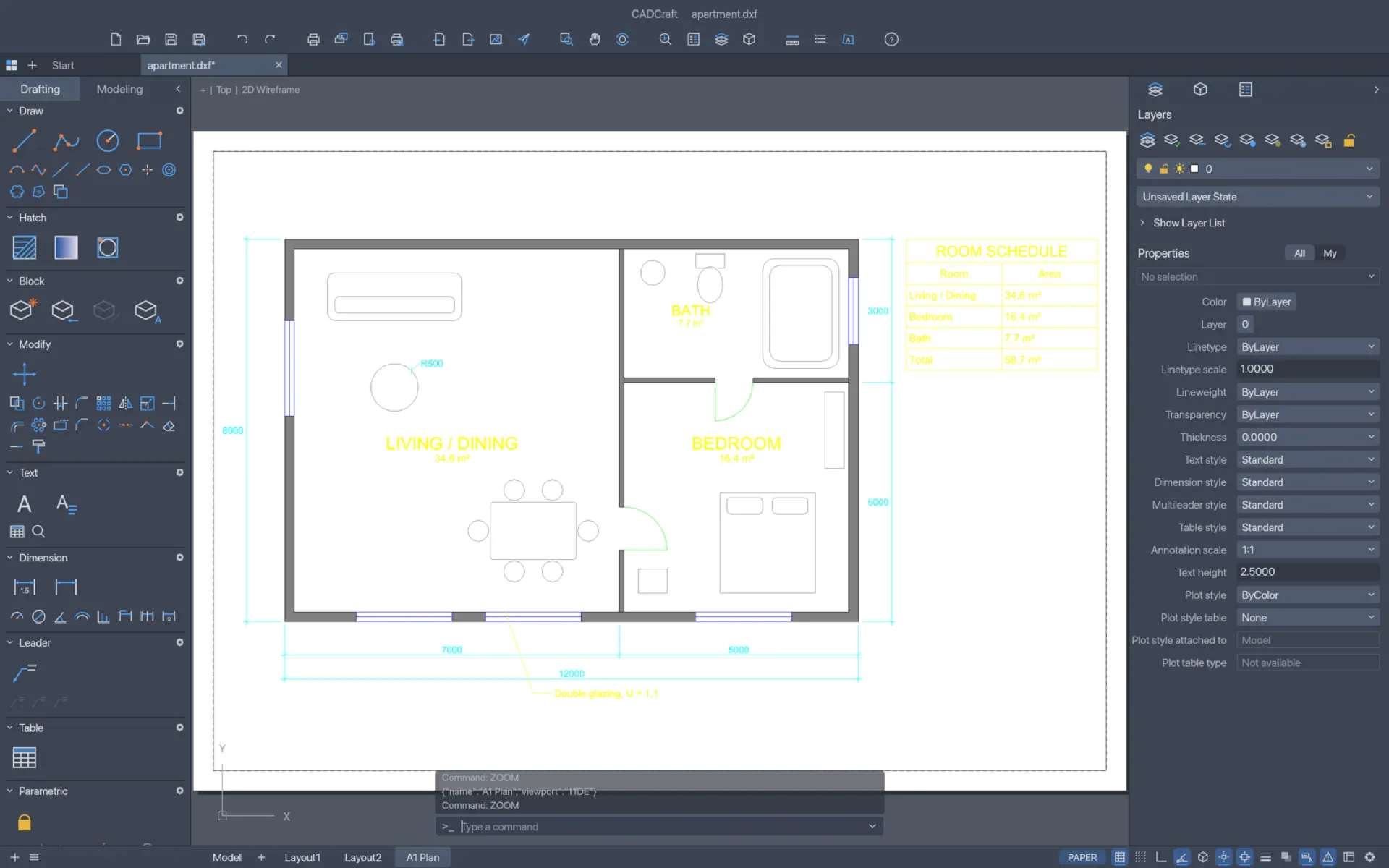
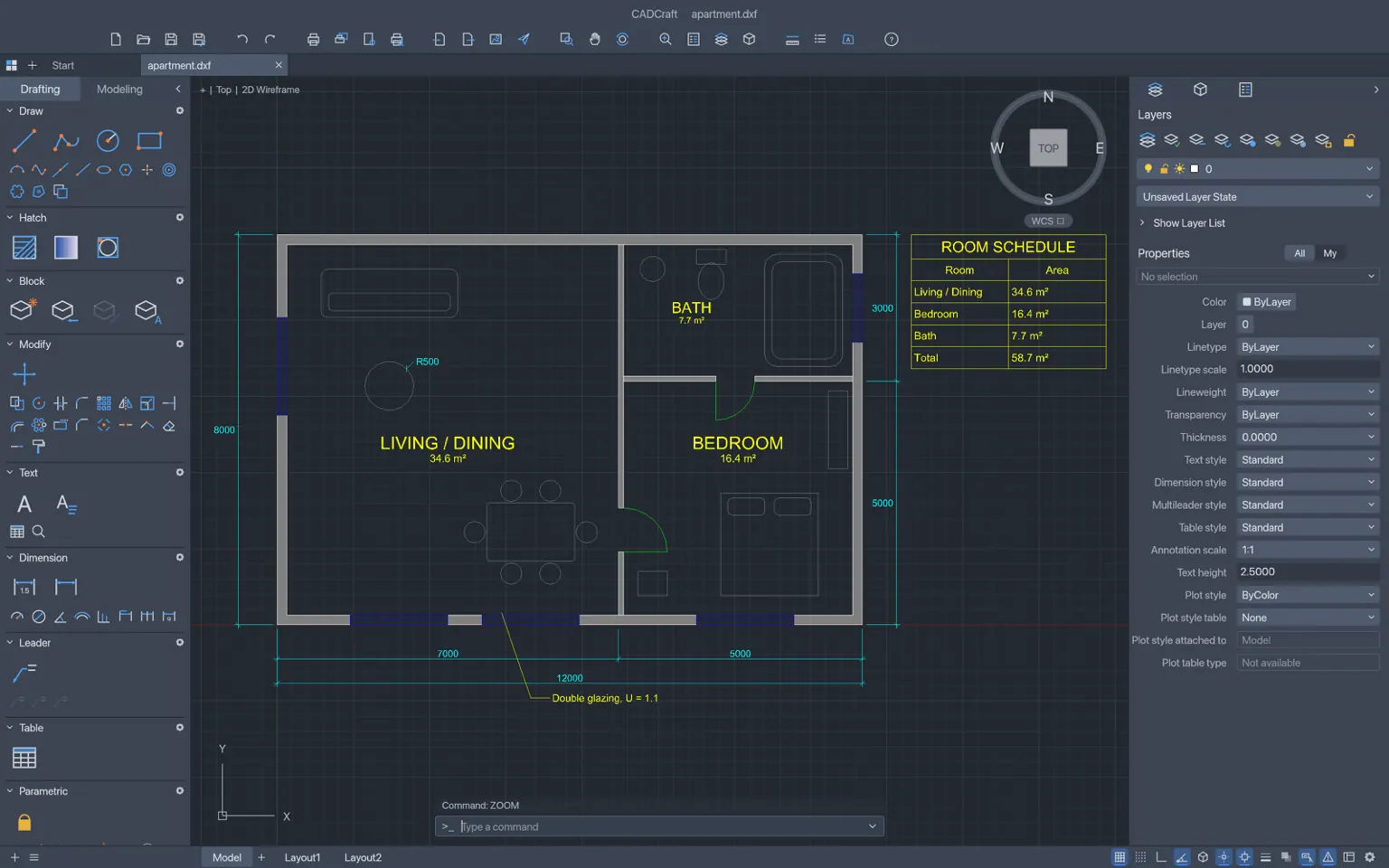
Walls on their own layers, hatched rooms, associative dimensions, a paper-space layout with a scaled viewport — and the DWG the site surveyor sent opens as-is.
03
Open the file they emailed, correct a dimension, re-hatch a section, plot a fresh PDF — no install, no licence server, nothing uploaded.
04 / Cómo funciona
CADCraft boots in the browser — no download, no account. Start an empty drawing or open a DXF/DWG straight from your device.
Layers for walls, dimensions and hatches with colour, linetype and lineweight — the Layer Properties Manager works the way it always has.
Type the command, answer the prompts, use object snaps and polar tracking; direct distance entry and @-coordinates for exact geometry.
Associative dimensions with your DIMSTYLE, hatches with islands, text and blocks with attributes — all following the geometry as it changes.
Lay out a sheet with a scaled viewport, PLOT to PDF, or export SVG and PNG — all written by the engine’s own Rust code.
05 / Archivos
| Format | Support | Notes |
|---|---|---|
| DXF | read + write | ASCII and binary, R12–2018 in; R2000 out — dimension styles, associativity, tables and constraints carried |
| DWG | read + write | R13–2018 through the open-source acadrust library |
| plot | paper-space PLOT and EXPORTPDF from layouts and page setups | |
| SVG, PNG | export | vector and raster hand-offs |
| TrueType fonts | read | .ttf, .otf and .ttc collections, plus our single-stroke drafting font |
06 / Precisión
Object snaps — endpoint, midpoint, centre, node, quadrant, intersection, insertion, perpendicular, tangent, nearest, with deferred tangent and perpendicular for the first point of a line — polar tracking, ortho and grid snap for entry, and parametric geometric and dimensional constraints with expressions for the geometry that must not drift.
07 / Capturas
08 / Obtener CADCraft
The whole drafting workstation, compiled to WebAssembly — no download, no installer, no account. It boots like a web page and drafts like a native app.
Iniciar el editorInstall it as an app from your browser and CADCraft keeps working without a connection — the shell, the engine and your last drawing are cached on your device.
DXF and DWG open from and save back to your device. Nothing is uploaded — there is no server to upload to.
09 / Preguntas
Yes. CADCraft is free and open source under MIT OR Apache-2.0 — no account, no subscription. The browser build needs no install.
Yes. DXF is read and written natively (ASCII and binary, R12 through 2018), and DWG files R13–2018 open and save through the open-source acadrust library.
Yes — prompts with clickable keywords, AutoComplete, aliases, @dx,dy and @d<a coordinate entry, direct distance entry, Enter/space/right-click to repeat, transparent commands and scripts.
All DIM* commands with full DIMSTYLE variables, overrides and every arrowhead, associative dimensions that follow geometry; pick-point hatches with islands, patterns, solids and gradients.
Yes — every menu item, tool and prompt is a command. Agents can type at the command line exactly like a person, call any command with JSON, inspect the drawing to verify their work and render it, over MCP or the JSON control channel.
Yes — paper-space layouts, viewports with scale and lock, page setups, and PLOT/EXPORTPDF straight from the browser; SVG and PNG export too.
A full Layers palette and Layer Properties Manager — on/off, freeze, lock, plot, colour, linetype and lineweight — plus layer tools like isolate, match and previous, and a Properties palette with per-object editing.
Yes. Install CADCraft as an app from your browser and the shell, the engine and your last drawing are cached on your device; drafting continues without a connection.
No. The editor runs in the tab; drawings open from and save back to your device. There is no server to upload to.
CADCraft today is a 2D drafting workstation — model space, paper-space layouts and viewports — with parametric constraints; 3D modelling is on the roadmap.
English, Ukrainian, Brazilian Portuguese, German, Spanish, Czech, Russian, French and Simplified Chinese, with live switching between them.
10 / La familia
CADCraft is one of a family of open crafting tools.
Una estación de dibujo completa — en una pestaña, gratis.
Empezar a dibujar